Best Website Design in 2025 Simple AI-Powered Guide


Best Website Design in 2025: The Ultimate Guide to Modern, AI-Powered Websites
Introduction: Why the Best Website Design Matters in 2025
Website Design is one of the most important parts of online success in 2025. Today, customers judge a business within 3 seconds, and a modern website directly affects sales, trust, and brand value. A well-designed website increases conversions, improves customer experience, and builds authority. With the rise of AI tools, website design is changing faster than ever. AI website builders are making the process easier, faster, and smarter — even beginners can create professional websites in hours.
In this new era of digital growth, SiteExpert helps businesses design fast, beautiful, and AI-optimized websites that deliver real results.
1. What is Website Design? (Clear Explanation)
Website Design means creating the visual layout, structure, and user experience of a website. It includes colors, fonts, images, buttons, content placement, and overall navigation. Good website design makes a website look modern and easy to use.
What Website Design Includes
-
UI (User Interface): The visual look and feel.
-
UX (User Experience): How easy it is to use.
-
Navigation structure
-
Responsive layout for mobile/tablet
-
Speed optimization
-
On-page SEO
-
Content arrangement
UI vs UX (Simple Explanation)
UI is about looks — buttons, spacing, colors, images.
UX is about experience — ease, flow, user satisfaction.
Is “Website Design” Capitalized? (Grammar Trend)
Trend 2025:
-
In titles → Yes, capitalized (“Website Design”)
-
In normal sentences → Not necessary (“website design”)
How SiteExpert Helps
SiteExpert creates websites with a perfect balance of UI + UX, ensuring smooth navigation, fast performance, and modern design aligned with business goals.
2. Best Website Design Trends of 2025
2025 brings powerful design trends that focus on simplicity, AI, and immersive experiences.
AI-Powered Website Design
AI tools now design layouts automatically, write content, and optimize SEO.
Minimalistic UI
Clean layouts, big spacing, soft colors, and calming design patterns.
3D & Micro Animations
Small animations improve engagement without slowing the website. According to the W3C Web Design Standards, modern UI patterns and responsiveness play a major role in user experience.
AI Website Design Tools (2025 Update)
Some rising tools include:
-
Framer AI
-
Durable AI
-
Wix ADI
-
10Web AI
-
WebWave AI
Dark/Light Auto Modes
Websites now auto-adapt based on device theme — better UX.
How SiteExpert Helps
SiteExpert applies latest 2025 trends to make websites modern, fast, and professional, ensuring your business image stands out.
3. AI Website Design: The Game Changer
AI Website Design is the biggest revolution of 2025. AI tools can create layouts, write content, generate pages, design templates, and optimize SEO instantly.
Best AI Website Design Tools
-
Wix ADI
-
Framer AI
-
Durable
-
10Web
-
SiteJet AI
Free AI Website Design Options
-
Wix ADI free plan
-
Google AI mockups
-
Figma AI (basic mode)
AI Website Design Software
-
Framer
-
Webflow AI
-
WordPress + AI plugins
-
Figma AI UI creator
AI Workflow for Beginners
-
Choose AI builder
-
Enter business details
-
Auto-generate pages
-
Edit layout
-
Publish website
1-Click Template + Auto-SEO
New AI platforms now automatically optimize headings, meta tags, image alt, and internal linking.
How SiteExpert Helps
SiteExpert integrates AI tools + manual expert review for maximum quality. This ensures your website is fast, optimized, and well-designed.
4. How to Design a Website (Step-by-Step Guide)
1. Choose the Best Platform
Options:
-
WordPress
-
Custom development
-
AI builders (Durable, Wix ADI, Framer AI)
2. Use a Website Template Design
Templates reduce time and improve consistency.
3. Website Design in Photoshop (Beginner Tip)
Use Photoshop or Figma to create basic UI layouts before development.
4. Must-Have Pages
-
Home
-
About
-
Services
-
Products
-
Blog
-
Contact
-
Privacy Policy
5. Business Website Design Formula
Clean layout + simple navigation + fast loading + trust elements.
6. Company Website Design Checklist
-
Logo
-
CTA buttons
-
Mobile-friendly design
-
Speed optimization
-
SEO structure
-
Branding consistency
How SiteExpert Helps
SiteExpert builds complete business websites using proven UI/UX frameworks and industry checklists.
5. Website Design Services & Agencies
Website Design Services Include
-
UI/UX
-
SEO
-
Hosting
-
Development
-
Maintenance
-
Branding
Agency vs Freelancer
Agencies give holistic service; freelancers are cheaper but limited.
“Website Design Near Me” – What to Look For
-
Portfolio
-
Reviews
-
Mobile-friendliness
-
Speed-focused design
Best Website Design Companies
-
SiteExpert (India)
-
WebFX
-
Blue Fountain Media
-
Clay Agency
How SiteExpert Helps
SiteExpert delivers premium agency-level website design with AI-based workflows and fast delivery.
6. Website Design Cost in 2025
WordPress Website Cost
₹10,000 – ₹60,000 (India)
Custom Website Design Cost
₹50,000 – ₹3,00,000+
AI Website Design Cost
₹0 – ₹10,000 (cheapest option)
Ecommerce Website Cost
₹25,000 – ₹4,00,000+
Hotel Website Pricing
₹15,000 – ₹1,50,000
Interior Website Design Pricing
₹20,000 – ₹2,00,000
How SiteExpert Helps
SiteExpert provides affordable pricing with premium features for startups and brands.
7. Industry-Specific Website Design Examples
Hotel Website Design
Focus on photos, booking system, and mobile experience.
Interior Design Website
Portfolio-centric layout with color-based branding.
Ecommerce Website Design
Filters, search, product pages, checkout optimisation.
Mobile Website Design Best Practices
Single-column layout, readable fonts, fast images.
How SiteExpert Helps
SiteExpert builds custom websites for every industry with targeted UI/UX.
8. Mobile-Friendly Website Design
Why Mobile-First?
Google ranks mobile-first websites higher.
How to Make a Website Mobile Friendly
-
Responsive layout
-
Thumb-friendly buttons
-
Fast loading
-
Clean content
Google Mobile Rules
-
CLS score
-
LCP score
-
Responsive font sizes
AI Testing Tools
-
Google Lighthouse AI
-
BrowserStack AI
How SiteExpert Helps
SiteExpert designs mobile-optimized websites that pass all Google tests.
9. Best Website Design Software & Tools
Top Tools of 2025
-
WordPress
-
Elementor
-
Webflow
-
Framer AI
-
Figma
-
Photoshop
-
CMS templates
How SiteExpert Helps
SiteExpert selects the best tools for your business type and budget.
10. Free Website Design Options
Free Templates
Available on WordPress, Canva, Figma.
Free Software
GIMP, Canva, Figma starter.
Free AI Website Builder
Wix ADI, Durable AI (free trial).
Pros & Cons
Free is good for beginners but limited in scaling.
How SiteExpert Helps
SiteExpert guides businesses on the right free/paid option to achieve growth.
11. Website Templates & UI Inspiration
Modern Designs
Soft colors, bold fonts, high whitespace.
UI Kits
Figma kits, Bootstrap kits, Webflow presets.
Trending Patterns 2025
Rounded corners, pastel gradients, minimal icons.
How SiteExpert Helps
SiteExpert provides premium template collections for faster development.
12. Website Design for Branding
Brand Elements
Colors, fonts, layout, images, tone.
Visual Hierarchy
Headline → Subheadline → CTA → Visual
How SiteExpert Helps
SiteExpert creates brand-centered designs that increase trust and customer engagement.
13. Website Design & Development Workflow
UI to Development
Wireframe → Design → Development → Testing.
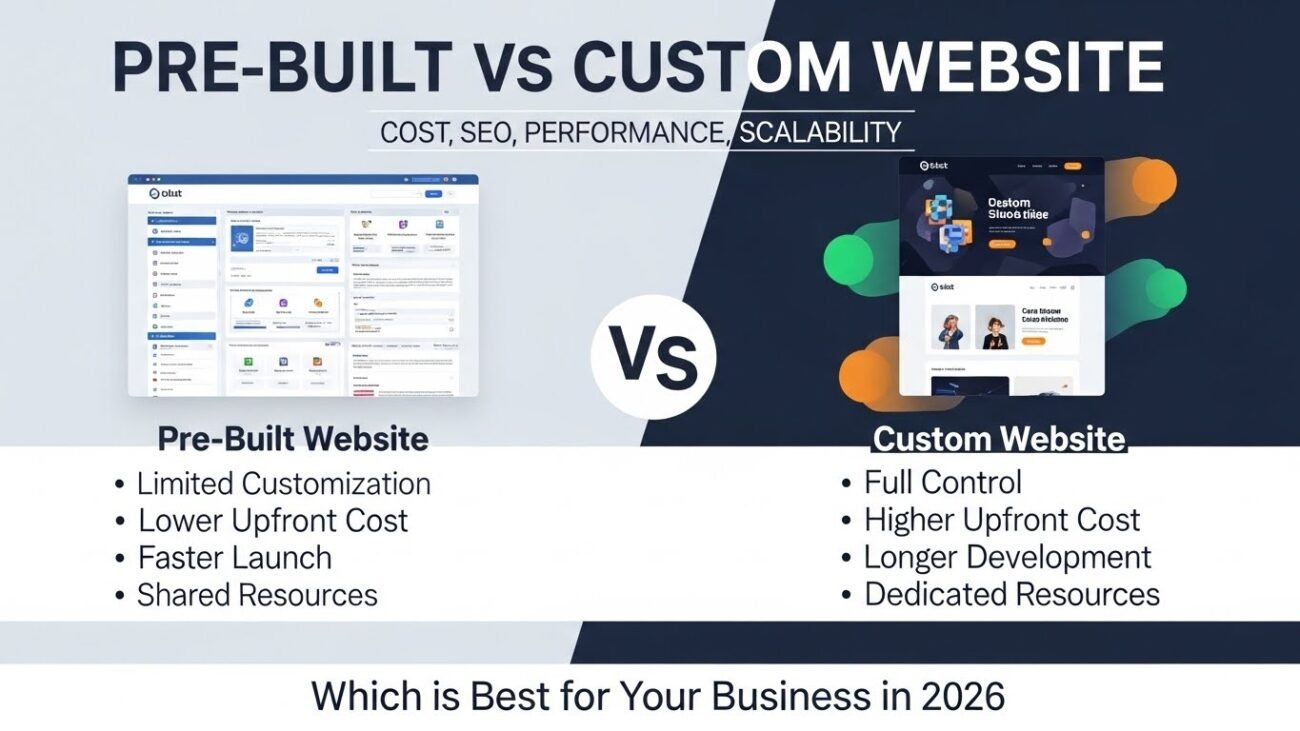
WordPress vs Custom
WordPress = fast, affordable.
Custom = scalable, advanced.
Mobile Website Development
Responsive CSS + fluid layout.
Testing & Speed Optimization
Lighthouse, GTMetrix, AI testing tools.
How SiteExpert Helps
SiteExpert handles end-to-end workflow from design to launch.
Conclusion
Website Design in 2025 is evolving fast with AI-powered tools, mobile-first layouts, minimalistic UI, and dynamic UX systems. Businesses need modern, responsive, and fast websites to stay competitive in this AI-driven world. The future of website design is clear — AI + mobile-first dominance.
If you want this for your business, SiteExpert can help you.